DSpace#
If you are a user who wants to quickly get to utilising the DSpace repository, this short guide is for you.
There is a certain number of steps that is the same for all the users and these steps will be accompanied with links to our thorough How-to Guide.
1. Log in
Every journey starts with a log in. There are many methods available and all of them are described in their dedicated section.
2. Join a project
You need to be part of a LEXIS Platform project with assigned resources. All you need to do is to visit a Project section and join a project. If you get lost, we have you covered here.
3. Prepare a Workflow
A Workflow is a first step to start computing. There is a section, where you can learn how.
4. Share your secret
This is a very specific step for DSpace users. You have to export a client secret from a DSpace repository and insert it to Expirio repository in your user profile.
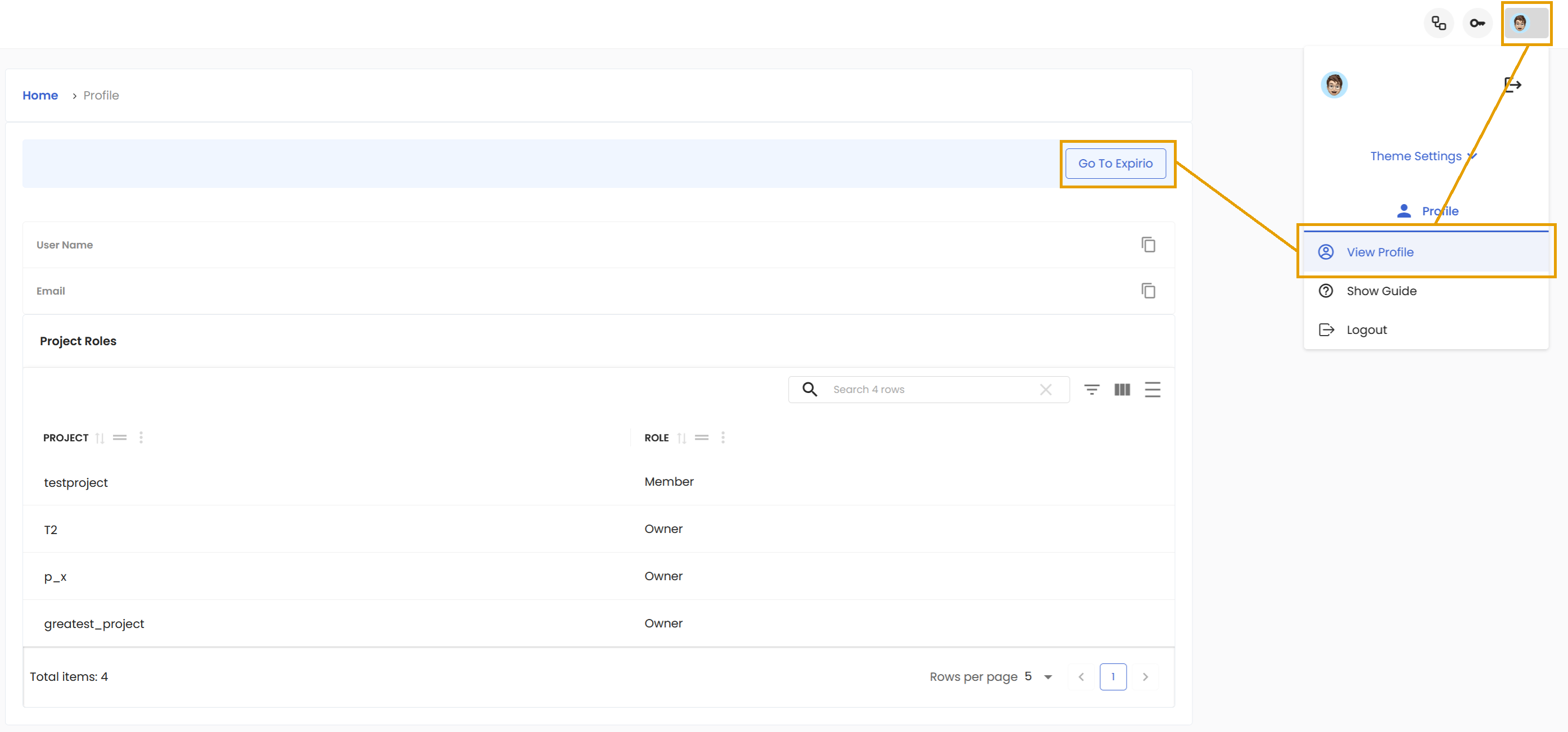
To do this, click on the little portrait on the right side and then View Profile. This will open your user profile, where you can find the Go To Expirio button.
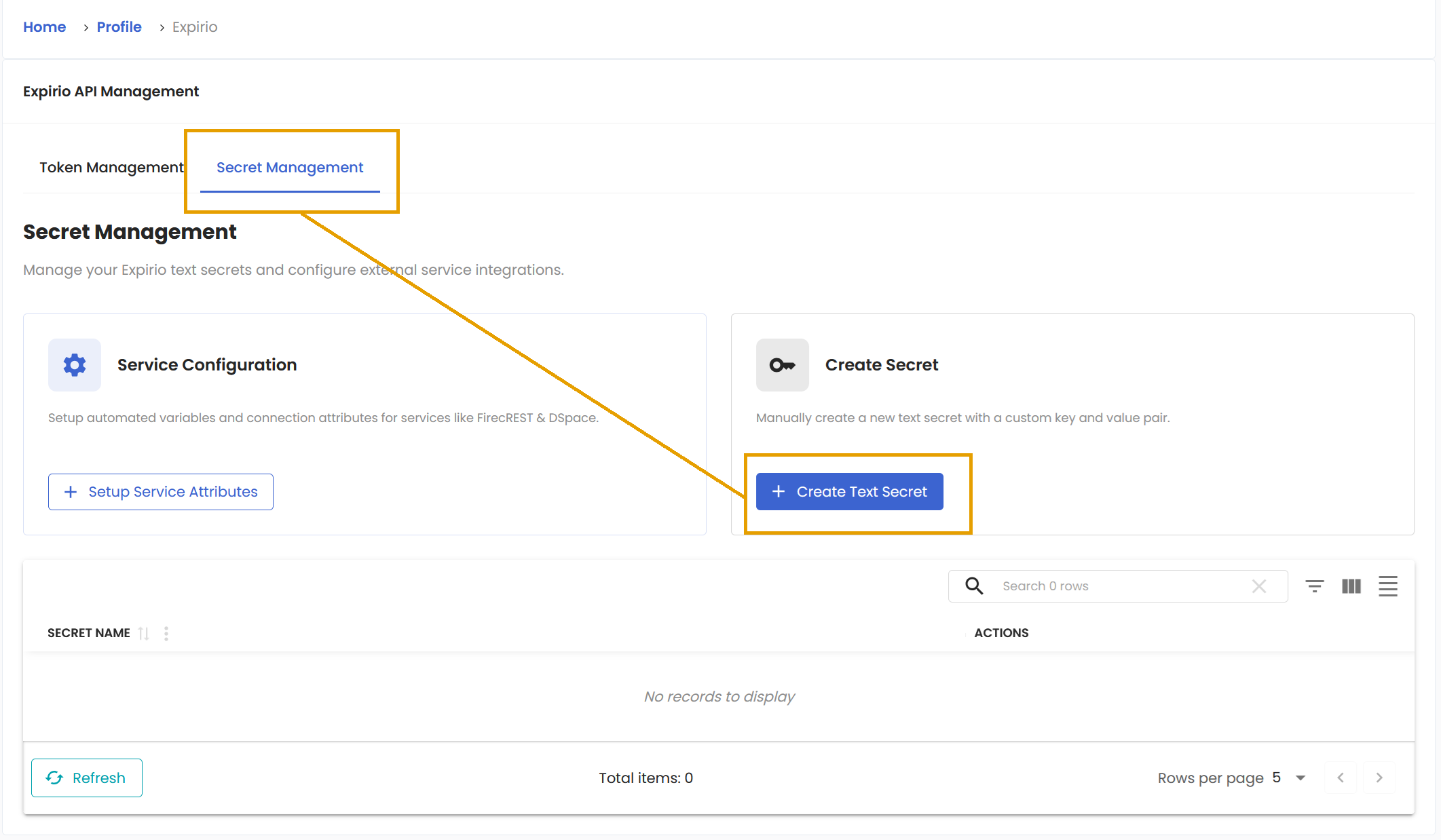
Click it and you will see Expirio API Management section. Switch to Secret Management tab to find the Create Text Secret button.
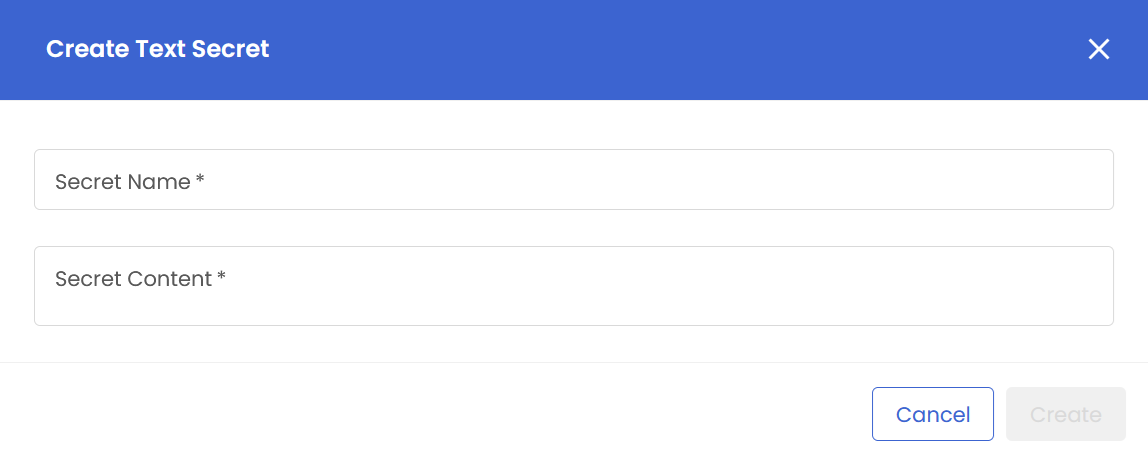
This is where you are required to enter your secret. So give a name to your secret in the first field, copy your secret to the second field and then you can Create it.
5. Prepare your data
Data must be prepared in the DSpace repository itself. There is also the ItemID of the data collection that you will input during Workflow execution.
6. Run the workflow
This, we have documented and you too can find how here.
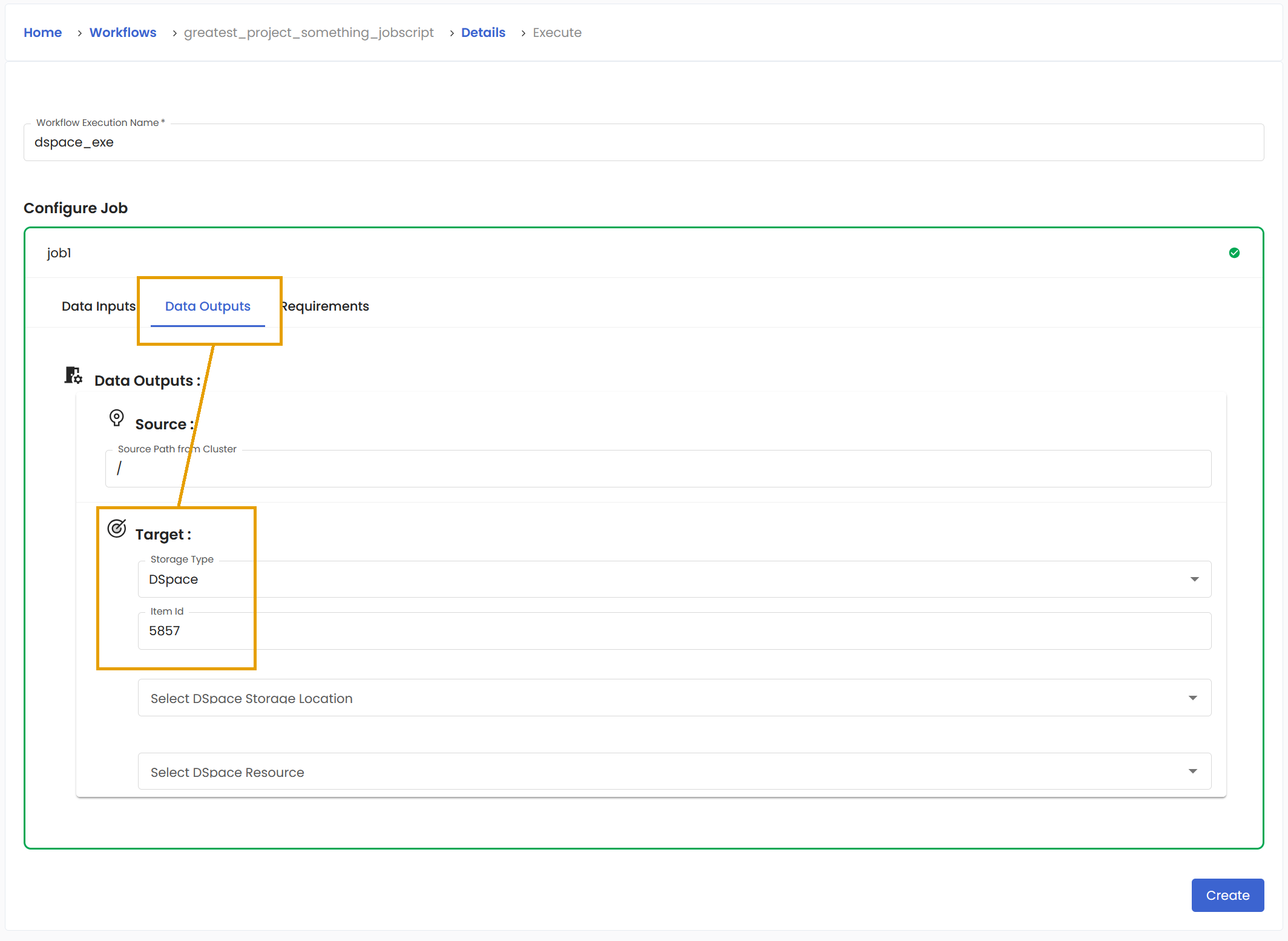
7. Upload your results
If the defined Workflow has a definition for the staging of the output data, then during the Workflow execution, you can enter ItemID of the target repository. The results will be automatically uploaded there.